
































































AI in Legal Practice: Powerful Use Cases Every Lawyer Should Know
Quick Summary Lawyers use AI to research faster, draft/review contracts, review large documents, track compliance, and automate legal workflows. However, they must verify...


601 & 612, The Times square Arcade, Near Baghban party plot, Thaltej - Shilaj Road, Thaltej, Ahmedabad, Gujarat - 380059
An AU-based Law firm struggled to manage client data and prepare customized legal documents. Legal professionals spent significant time manually updating client details, sender information, and document content, resulting in increased errors, repetitive work, and lower productivity.
To resolve the issue, iFour developed a smart Legal Document Automation with Word Add-in solution that allows users to create, customize, and update legal documents directly within Microsoft Word.
By using predefined templates and automated data replacement, the solution simplified document preparation, improved accuracy, and reduced manual effort.
Impacts Observed:

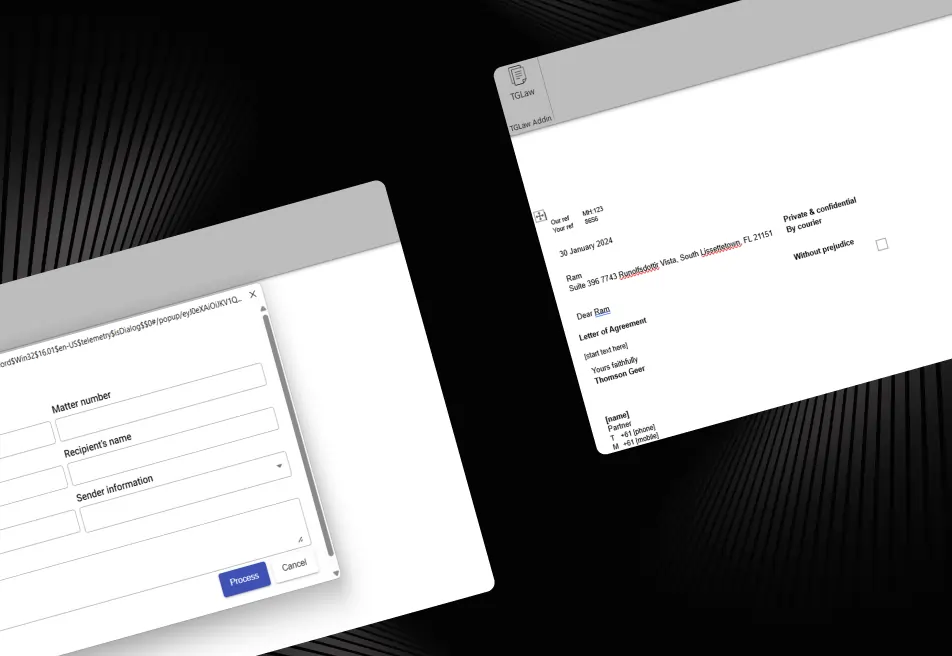

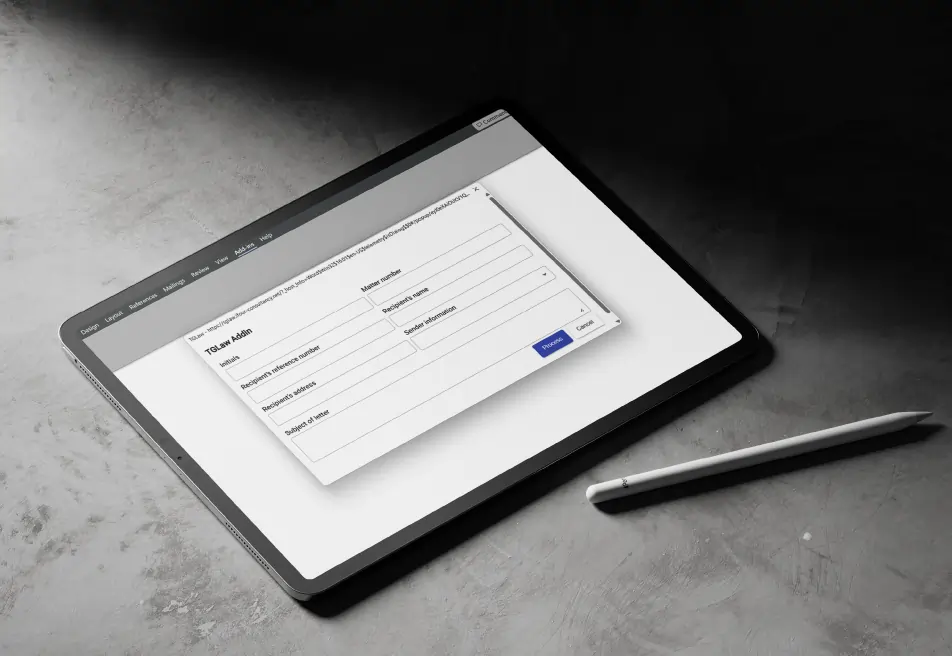
4X Documentation
Less Manual Effort
Boost Efficiency
Better Accuracy
Reduction in Error
This Australian legal firm helps clients with personal injury, civil litigation, business and commercial litigation, and administrative law matters. As the firm works with a large number of clients, its team regularly prepares and manages legal documents that need to be customized with accurate client-specific information.
Industry: Legal Services
Country: Australia
Why They Came to Us:
The client needed an efficient Legal Document Automation Solution to simplify document creation and reduce time spent on the document process and their manual updates. Hence, the firm wanted a modern way to generate customized legal documents that would resolve the following issues, including:


See how we've transformed businesses with custom software solutions

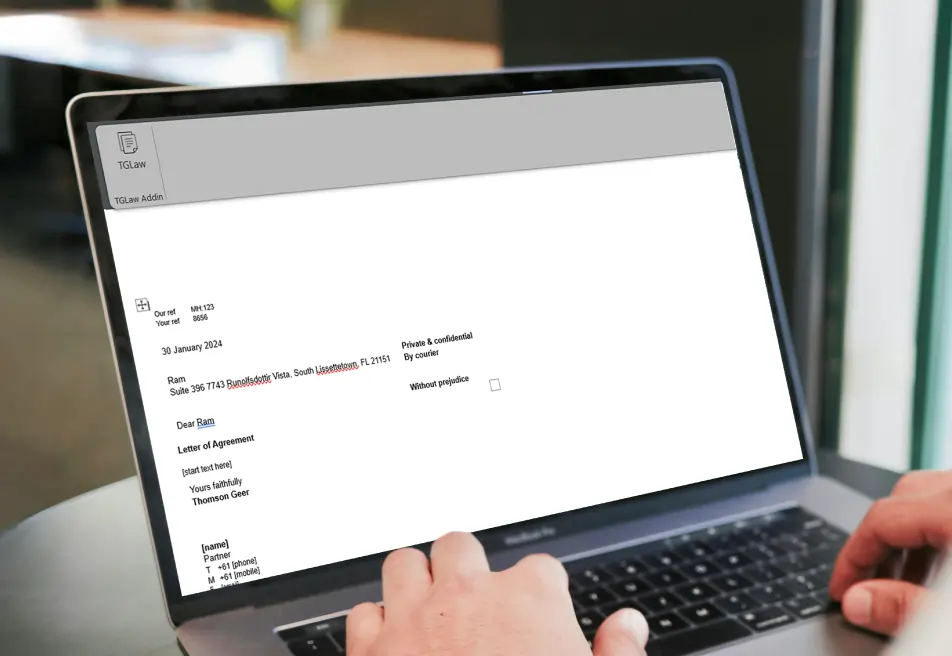
Before using the Word Add-in solution, legal practitioners at the firm faced the following challenges. They relied on manual document editing processes to prepare legal documents for clients.
Manually updating legal document information consumed valuable time.
Repetitive editing reduced overall team productivity.
Human errors occurred while replacing document details.
Managing multiple versions of legal documents became difficult.
Maintaining consistency across legal templates requires additional effort.
Preparing customized documents for different clients slowed legal operations.
The client required a smart Word Add-in for Legal Documents that could automate document customization and improve document management efficiency.
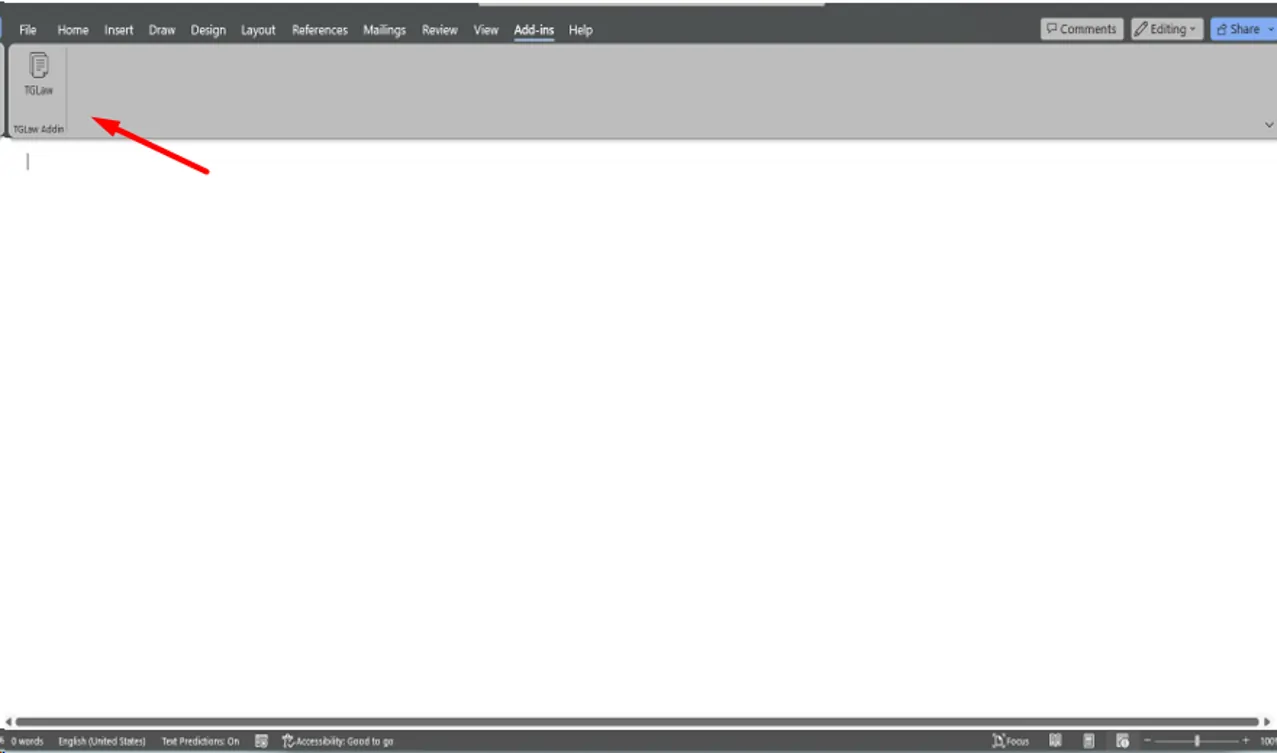
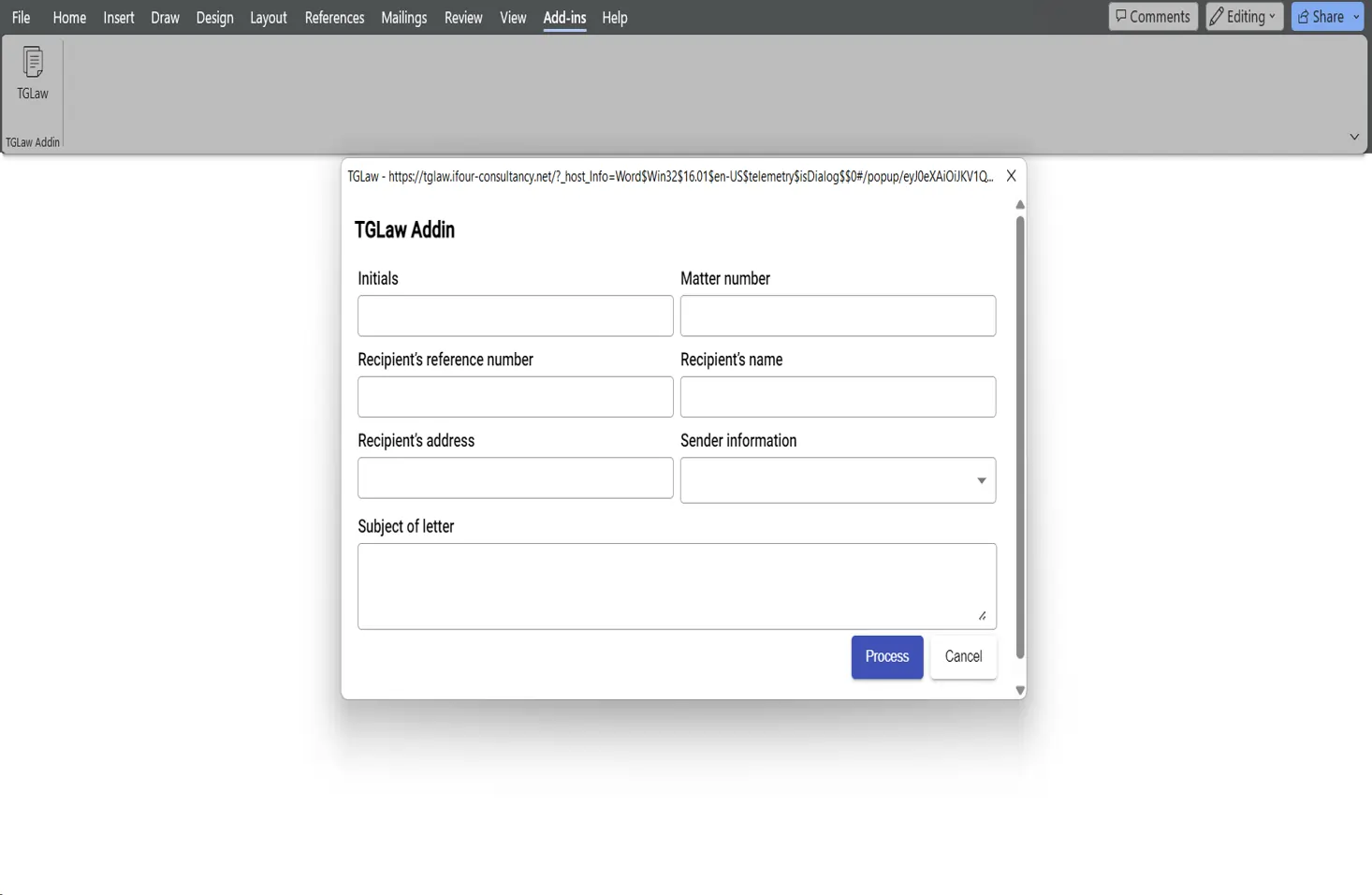
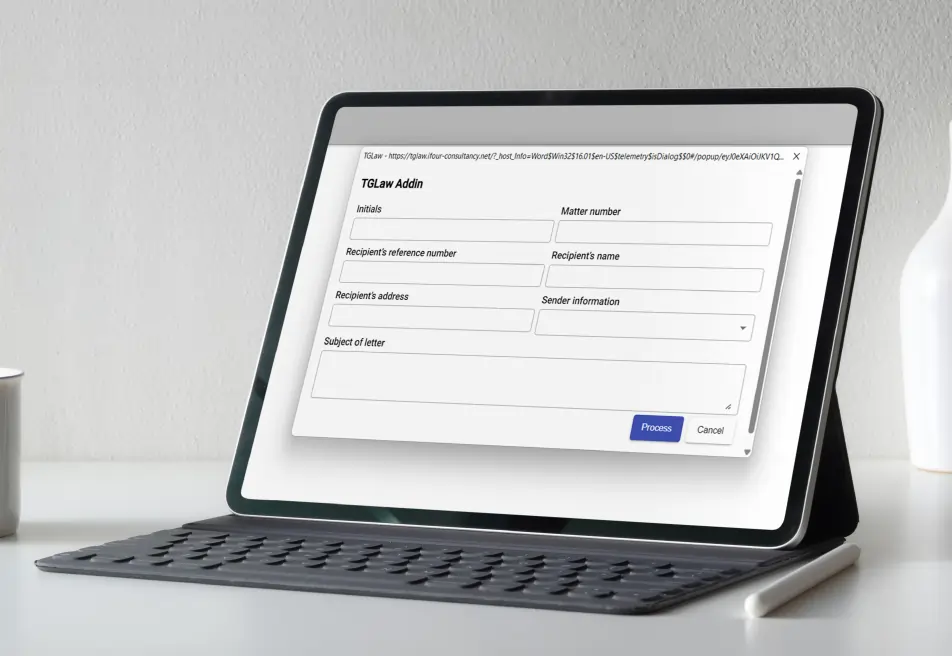
iFour developed an advanced Legal Document Automation with Word Add-in solution that allows legal practitioners to
generate and customize legal documents directly within the Microsoft Word add-in, and provides the key features included:
Legal Document Customization
Automated Template Management
Signature Image Integration
Dynamic Information Replacement
Organizations can apply company logos, colors, and formatting standards to reports.
(Technology Stack & Architecture)
The custom Microsoft Word Add-in Development solution helped our client simplify legal document management and improve overall operational efficiency. A few powerful impacts are listed below:

iFour designed a smart Legal Document Automation with Word Add-in solution by understanding the needs of the client, which helped the client simplify document preparation, reduce manual work, and improve document accuracy.
With Custom Word Add-in Development, automated template management, dynamic information replacement, signature integration, and automated updates for matter IDs, client information, legal dates, and confidential attorney details, the solution made it easier for legal professionals to create customized legal documents quickly and accurately, with less effort.
We encourage you to contact us with any questions or comments you may have.

Take a look at our latest projects, where digital transformation comes to life.



Quick Summary Lawyers use AI to research faster, draft/review contracts, review large documents, track compliance, and automate legal workflows. However, they must verify...

Sales Forecasting isn't optional anymore. Whether you are a startup or a mid-level enterprise, every decision you make today depends on how well you predict the future. Instead...

Quick Summary: Power BI uses AI to automatically point out patterns, identify anomalies, and create forecasts, providing analysts and executives with the insights necessary...